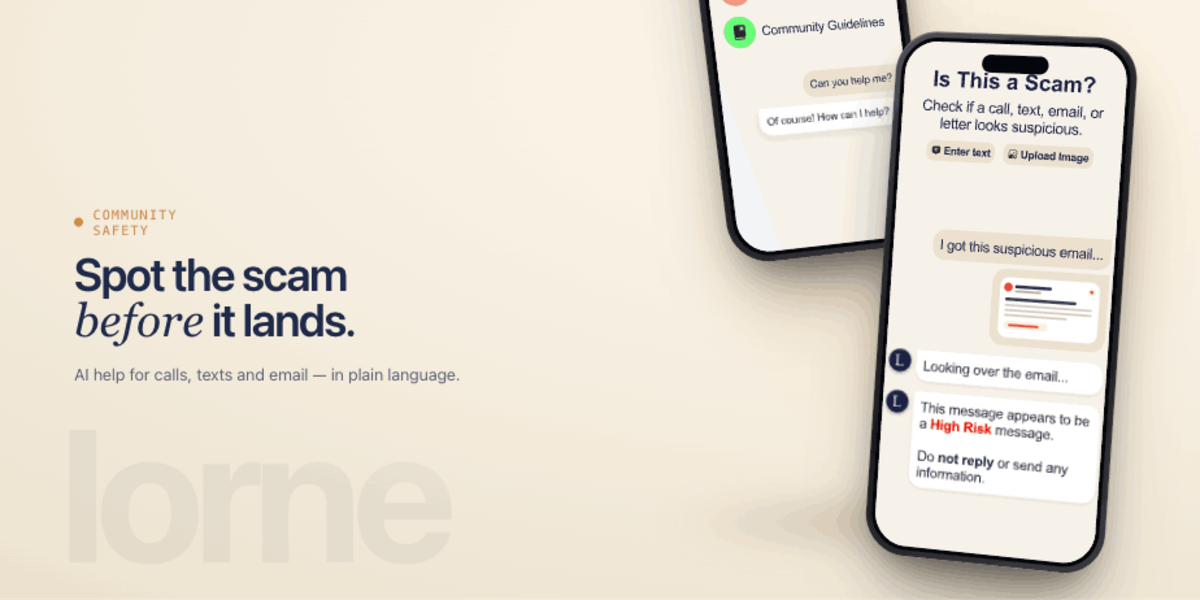
You get a text message that looks almost right. An email from your bank that's slightly off. A phone call from someone claiming to be from the tax office. Scams are getting harder to spot, and the people who fall for them aren't careless. They're human.
We built an AI-powered scam detection feature inside Lorne, a community safety app that helps people protect themselves and each other.
01More than a scam checker
Lorne is a community platform at its core. People join, connect with their neighbours, share local updates, and look out for each other. Think of it as a neighbourhood watch that lives in your pocket.
The scam check is one feature within that larger safety ecosystem. But it's the one that demonstrates something important about how AI should be added to apps: not as a gimmick, but as a tool that solves a real, specific problem.
02How the scam checker works
Users paste a suspicious message into the app, whether a text, an email, or a social media DM, and the AI analyses it in seconds. But it doesn't just return a red or green light. It explains its reasoning.
The system identifies specific red flags, then highlights and explains each one in plain language:
Urgency language
Pressure designed to short-circuit your judgement, like "act now or lose access."
Authority impersonation
Pretending to be your bank, the tax office, or the police to borrow their trust.
Data requests
Asking for passwords, codes, or details a legitimate organisation would never request.
Misleading links
Domains dressed up to look like the real thing, one character out of place.
This matters because scam detection is about more than catching the current scam. It's about teaching people to recognise the patterns.
Every analysis is a micro-lesson in digital literacy.03
Voice input for everyone
Not everyone is comfortable typing. Some users are elderly. Some have accessibility needs. Some just received a phone call and want to describe what happened rather than transcribe it.
We built voice-to-text into the scam checker. Users can tap a microphone button, describe the suspicious communication out loud, and the AI processes the spoken input the same way it processes pasted text. The speech-to-text conversion runs before the AI analysis, and the user can review and edit the transcription before submitting.
This wasn't a nice-to-have. For many of the people most vulnerable to scams, like older adults, people with visual impairments, and people who aren't comfortable with smartphones, voice input is the difference between using the feature and not.
04Accessibility from day one
Lorne was built with accessibility baked in from the start, not retrofitted. Screen reader support, sufficient colour contrast, touch targets that work for users with motor difficulties, and a clear information hierarchy that doesn't rely on colour alone to communicate meaning.
When you're building an app for community safety, accessibility isn't a checkbox. It's the entire point. The people who need protection the most are often the ones most excluded by poorly designed apps.
05The community layer
Beyond scam detection, Lorne includes chat functionality, community forums, and a history feature that lets users review past scam checks and community alerts. The registration and onboarding flow was designed to be welcoming and straightforward, minimising friction for users who might be new to smartphones.
The combination of AI analysis and community support creates something more powerful than either alone. A scam check gives you an answer. A community gives you confidence.